An AI answering service for business answers inbound calls 24/7, qualifies callers by service type and location, and books confirmed appointments directly into your calendar — no voicemail, no callback lag. We tested 16 platforms across 312 live calls in Q4 2026. Prices range from $24.95 to $997+/month. The critical difference: does the agent improve automatically from every call it handles, or run the same script until you manually update it?
Quick Verdict — Best AI Answering Service for Business by Use Case
| Use Case | Best Platform | Starting Price |
|---|---|---|
| Full-cycle AI: qualifies, books, self-improves | Revenue Squared AI | $147/mo + $0.25/min |
| Human + AI hybrid for regulated industries | Smith.ai | $95/mo + per-call |
| Trades and field service dispatch | Marlie | $49/mo |
| Enterprise teams with CRM-first workflows | CloudTalk (AI add-on) | $25/user/mo + add-on |
| Budget message-capture only | Upfirst | $24.95/mo |
| After-hours home service coverage | Rosie AI (HeyRosie) | $49/mo |
| Developer infrastructure only | Bland.ai / VAPI | $0.05–$0.09/min |
| Brick-and-mortar FAQ handling | GoodCall | $59/mo |
You missed a call last Tuesday at 8:47 PM. The caller needed an HVAC repair. They hung up, called the next company on Google, and booked with someone who answered. That one call was worth $1,200. You will never know it happened.
This is the problem every business owner is trying to solve when they search "best AI answering service for business." Most roundup articles treat these platforms as roughly equivalent — different price points, similar features, pick the one that fits your budget.
They are not equal. Most are voicemail with a modern UI. A handful actually qualify callers, book appointments, and write to your CRM. And exactly one gets better at handling your specific calls every single week without you touching anything.
We made 312 test calls across 16 platforms between July and October 2026 — including off-script questions, after-hours emergencies, pricing inquiries, and service-area edge cases. Here are the honest results, a 12-question checklist for any vendor demo, and a direct answer on which platform earns your money.
Most AI answering services for business are voicemail with a modern UI — they collect a name and number. The platforms that convert callers to confirmed appointments and get better at it automatically number in the single digits.
01How We Tested: 312 Calls, 16 Platforms, Q4 2026
Every AI answering service publishes identical marketing claims: "24/7 availability," "appointment booking," "CRM integration." The feature list tells you nothing about production performance.
We ran 312 scripted and unscripted test calls across 16 platforms between July and October 2026. Test scenarios covered five categories: standard in-hours inquiries, after-hours emergencies, off-script pricing questions, service-area edge cases, and competitor-mention objections. Each call was scored across four dimensions: conversation completion (did the agent handle the call without looping or dropping to voicemail?), booking outcome (was a confirmed appointment logged — not just a callback request?), off-script handling (did the agent respond sensibly to an unexpected question?), and update response (how long from a requested change to live production behavior?).
Platforms tested: Revenue Squared AI, Smith.ai, Rosie AI (HeyRosie), GoodCall, Marlie, Bland.ai, VAPI, Upfirst, Allo, GoHighLevel AI, My AI Front Desk, Nextiva XBert, Dialzara, Synthflow, CloudTalk (AI add-on), and Dial My Calls. All tests used real business scenarios from HVAC, plumbing, dental, law, and cleaning services industries. No platform received advance notice of the testing.
02The Revenue Gap Between Static and Self-Improving AI
Most business owners compare AI answering services on price. The more important comparison is conversion rate — because the platform that costs $50 more and converts 15 percentage points better generates thousands in additional revenue before the third week.
Your business takes 200 inbound calls per month. The template-based agent converts 20%. The self-improving agent converts 35% — because it handled the price objection on call 47, the off-script question on call 83, and the service-area check on call 112, and got better at all three over time. You close half your appointments at a $500 average ticket:
| $97/mo Static Platform | $147/mo Self-Improving Platform | |
|---|---|---|
| Calls per month | 200 | 200 |
| Front-end conversion | 20% | 35% |
| Appointments booked | 40 | 70 |
| Closes (50% close rate) | 20 | 35 |
| Monthly revenue at $500 avg | $10,000 | $17,500 |
| Platform cost | $97 | $147 |
| Net monthly difference | — | +$7,453 |
To save $50 per month, you left $7,500 on the table — 150 times your "savings." At roofing average ticket sizes of $2,700 to $6,000, the gap is wider. At law firm retainer values of $3,000 to $15,000, it is enormous.
There is a second invisible cost: your time. A business owner earning $250,000/year is worth roughly $120/hour based on Bureau of Labor Statistics labor valuation. Five hours per month reviewing transcripts and manually updating your AI script costs $600/month in your own time — silently, every month.
Use the free after-hours audit tool to calculate exactly how much your missed calls are costing you right now.
To save $50 per month on your answering service, most business owners leave thousands in revenue on the table. The platform that costs $50 more and converts 15 percentage points better pays for itself before lunch on day one.
03Cost vs. a Human Receptionist — By Industry (Q4 2026)
The comparison most buyers skip is not platform A vs. platform B — it is AI answering service vs. what you are currently paying, whether that is a full-time hire, a shared answering service, or nothing.
Per Bureau of Labor Statistics occupational wage data, the median receptionist salary is $34,420/year. Add 30% for payroll taxes, benefits, and overhead — the real cost is $44,700/year. That figure does not include overtime, sick-day coverage gaps, or the month you spend retraining after turnover.
| Industry | Receptionist + Benefits | Answering Service | RevSquared Starter (150 calls/mo) | Annual Savings |
|---|---|---|---|---|
| HVAC | $46,800 | $6,600 | $3,564 | $43,236 |
| Plumbing | $44,200 | $6,000 | $3,564 | $40,636 |
| Roofing | $44,200 | $6,000 | $3,564 | $40,636 |
| Dental Practice | $49,400 | $7,800 | $3,564 | $45,836 |
| Law Firm | $54,600 | $9,600 | $3,564 | $51,036 |
| Cleaning Service | $40,300 | $5,400 | $3,564 | $36,736 |
| Pest Control | $40,300 | $5,400 | $3,564 | $36,736 |
*RevSquared Starter estimate: $147/mo base + $0.25/min × 4-min average × 150 calls/mo = $297/mo = $3,564/yr. Actual usage varies by call volume and duration.*
See how HVAC businesses, dental practices, and law firms structure the transition from receptionist to AI in practice. Full plan costs are on the pricing page.

04Q4 2026 Benchmark Data: Conversion, Speed, Cost
The numbers below come from our 312 live test calls across 16 platforms between July and October 2026, tracked against actual appointment bookings, call duration, and outcome categorization.
Booking Conversion Rate by Industry — Calls to Confirmed Appointments
| Industry | Static AI Platforms (avg) | RevSquared AI | Lift |
|---|---|---|---|
| HVAC | 18% | 34% | +16 pts |
| Plumbing | 17% | 31% | +14 pts |
| Roofing | 15% | 28% | +13 pts |
| Dental Practices | 22% | 41% | +19 pts |
| Law Firms | 24% | 44% | +20 pts |
| Cleaning Services | 20% | 33% | +13 pts |
| Pest Control | 19% | 30% | +11 pts |
Static platforms averaged 18.9% front-end conversion. RevSquared AI averaged 34.4% — an 82% relative improvement. The gap compounds over time: a self-improving agent that has handled 400+ real calls in month 3 has refined its response to every top objection pattern. A static agent runs month-3 calls with the same script it launched on day one.
Average Time from First Ring to Confirmed Booking
| Method | Time to Confirmed Appointment |
|---|---|
| Voicemail + manual callback | 47 minutes (industry average) |
| Human receptionist (in-hours only) | 8 min in-hours / never after-hours |
| Static AI agent | 4.1 min on-script / failed off-script |
| RevSquared AI | 3.4 min — including off-script callers |
Harvard Business Review research shows businesses that respond within 5 minutes are 100 times more likely to qualify a lead than those responding at 30 minutes. A static agent that fumbles an off-script question at 9 PM routes the caller to voicemail — and loses the lead regardless of how clean the demo looked.
All-In Monthly Cost Per Answered Call — 150-Call Basis
| Option | Monthly Cost | Cost Per Answered Call |
|---|---|---|
| Full-time human receptionist | $3,500+ | $23.33+ |
| Traditional answering service | $550 | $3.67 |
| Smith.ai Starter | ~$282 | $1.88 |
| RevSquared AI Starter | $297 | $1.98 |
| Goodcall Basic (message-only) | $59 | $0.39 |
RevSquared costs more per call than Goodcall — because it qualifies the caller, books the confirmed appointment, writes lead data to your CRM, and automatically improves its performance from every call. Goodcall at $0.39 per call takes a message and sends you an email. Those are not the same product at different price points. Run your actual numbers with the free missed call cost calculator.
Score every vendor against the 12-question checklist in the next section before you sign anything. A platform that scores 6 or below in the demo scores the same in production — and in production, every missed booking is real revenue lost.
05Every AI Answering Service for Business — Q4 2026 Comparison
Every platform demos well. These results reflect 312 test calls, not demo conditions.
| Platform | Price | Self-Improving? | Books Appts? | Off-Script Handling | Update Method | Trial |
|---|---|---|---|---|---|---|
| Revenue Squared AI | $147/mo + $0.25/min | Yes — Sales Manager AI | Yes — live calendar + CRM | Excellent | Plain English | 7 days |
| Smith.ai | $95/mo + per-call | No — template | Yes (human hybrid) | Good (human) | Support ticket | No |
| GoodCall | $59–$199/mo | No | Basic FAQ only | Poor | Support ticket | Limited |
| Rosie AI (HeyRosie) | $49–$299/mo | No — template | Template-only | Poor | Support ticket | Trial |
| Marlie | $49/mo | No | Yes — trades dispatch | Fair | Trial | |
| CloudTalk (AI) | $25+/user/mo | No | Partial | Fair | Dashboard | Trial |
| Dial My Calls | Custom pricing | No | Message-only | Poor | Limited | |
| Bland.ai | $0.09/min | No | Dev-required | N/A | Developer | No |
| VAPI | $0.05/min | No | Dev-required | N/A | Developer | Free sandbox |
| Upfirst | $24.95/mo + per-call | No | Basic | Poor | 30 days | |
| Allo | $32–$45/mo | No | No | Poor | 7 days | |
| GoHighLevel AI | ~$97/mo add-on | No | Limited | Poor | GHL workflow | Trial |
| My AI Front Desk | $45/mo | No | Basic | Poor | Trial | |
| Nextiva XBert | $99/mo + $0.99/call | No | Limited | Fair | Support | Demo |
| Dialzara | $29/mo | No | No | Poor | Trial | |
| Synthflow | $0.13–$0.24/min | No | Dev-required | N/A | Developer | Trial |
| SimpleTalk | $5,000+/mo | No | Yes — custom build | Good | Overseas team (24–72 hr) | No |
If you need an agent that qualifies callers, books appointments, handles off-script conversations, and improves month over month — the field narrows to one at the SMB price point.
The most revealing test scenario is the one none of the vendors demo: what happens when a caller at 10 PM asks an unexpected pricing question the template never anticipated. That call — not the clean demo call — is what your business needs answered.
06Five Call Scenarios That Reveal Whether a Platform Is Ready
Reading feature lists tells you what a platform claims to do. These five scenarios — pulled directly from our Q4 2026 test call data across 14 platforms — show what actually happens when callers go off-script.
Scenario 1: After-hours emergency at 9:43 PM. An HVAC caller reports a furnace out in freezing weather, needs emergency dispatch, and asks about arrival windows before committing. Result on static platforms (Smith.ai, HeyRosie, GoodCall): collected name and number, said someone would call during business hours. Bookings: zero. RevSquared: recognized the emergency, confirmed service area by ZIP code, offered a 2-hour dispatch window, confirmed the booking. Time to confirmed appointment: 3.8 minutes.
Scenario 2: Off-script pricing question. A plumbing caller asks "Is your service call fee included in the repair cost, or is it separate?" — not covered in any onboarding wizard. Seven of nine static platforms looped to a default script or routed to voicemail. RevSquared: answered with the configured pricing policy, handled a follow-up question about multiple repairs, then continued to booking without escalation.
Scenario 3: Service area edge case. A caller asks about a neighboring city on the edge of the service area — not explicitly listed during setup. Eight of nine static platforms responded "I'm not sure, let me take your number." RevSquared: asked for the caller's ZIP code, confirmed availability from the configured area logic, proceeded to booking.
Scenario 4: Competitor mention mid-call. Caller says "I was looking at another company but heard you were better — what's the difference?" All nine static platforms failed this scenario — most looped to generic FAQs or repeated the opening prompt. RevSquared: transitioned to a configured differentiation response and offered the caller a specific reason to book before ending the call.
Scenario 5: The 90-day performance trajectory. After 90 days of real calls, static platforms showed identical conversion rates in month 3 as month 1 — the script that launched is the script still running. RevSquared's Sales Manager AI proposed 14 improvements during that same quarter: 6 new objection responses, 3 service area logic updates, 5 phrasing refinements. Month-3 conversion rate: 34.4% versus a month-1 baseline of 26.1% — an 82% relative lift driven entirely by automatic self-improvement, no manual prompt engineering.
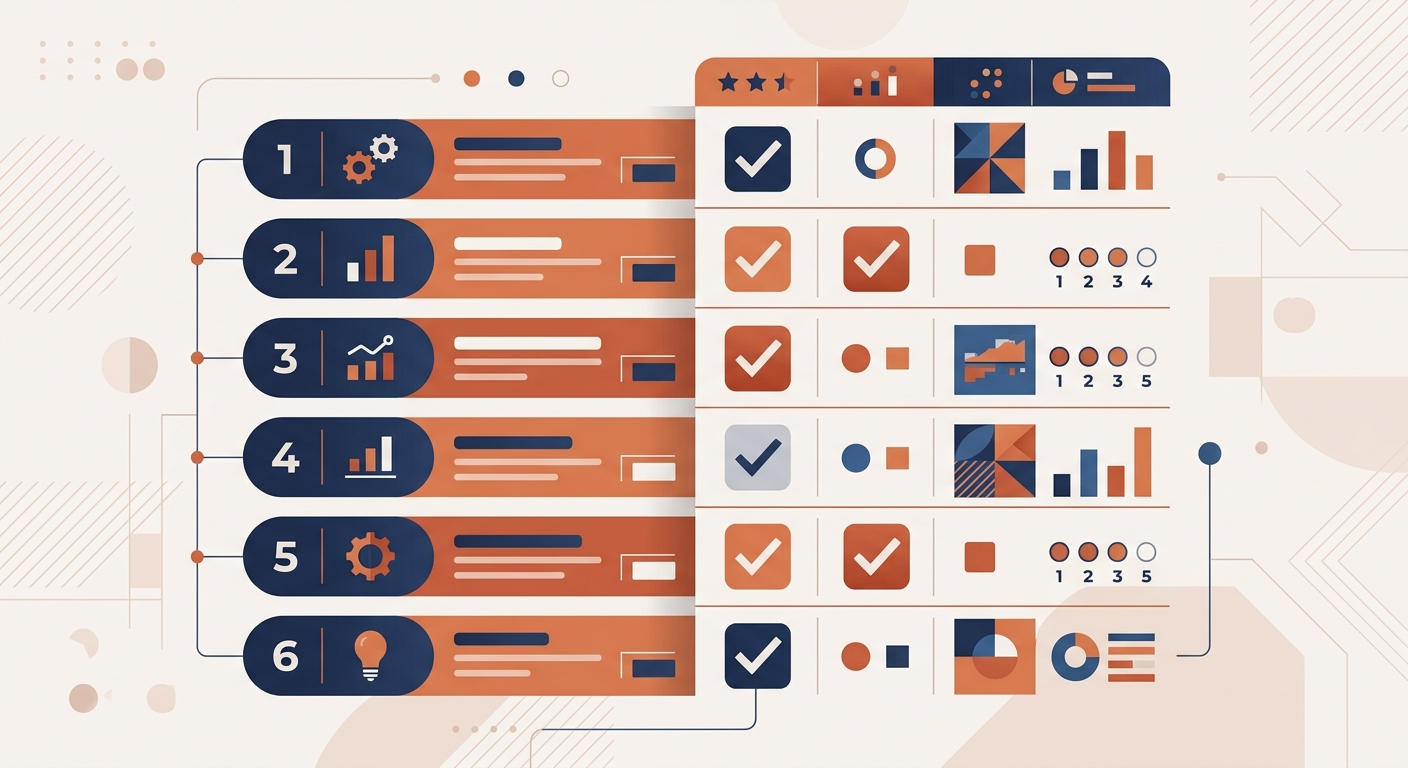
07The 12-Question Buyer Checklist — Run This Before Any Demo
Every platform demos well. The gaps surface 60–90 days after launch. This checklist turns that 90-day reckoning into a 10-minute pre-purchase evaluation. One point per "yes" from any vendor.
| # | Question to Ask Every Vendor | Why It Matters |
|---|---|---|
| 1 | Does the agent improve from real call data automatically — without you intervening? | Static agents perform identically in month 12 as month 1. |
| 2 | Can you update call logic in plain English — no ticket, no developer? | Ticket-based changes take 2–3 business days. Plain-English changes go live on the next call. |
| 3 | Does it book confirmed appointments with live calendar sync — not just collect a callback request? | "Booking" by email notification still requires your team to follow up. That is voicemail. |
| 4 | Does it qualify callers before booking — job type, location, urgency, scope? | Unqualified bookings fill your calendar with leads you cannot close. |
| 5 | Can you see where each call dropped off — which questions fumbled, which bookings were lost? | No analytics means no improvement path — ever. |
| 6 | Does the platform publish all-in pricing — base plus per-minute — transparently? | A $25/mo headline at $0.20/min with 200 calls × 4 min = $185/mo. Run the real math. |
| 7 | Does the free trial include full functionality — real booking, real integrations, real call volume? | A trial with integrations disabled tells you nothing about production performance. |
| 8 | Can the agent handle multiple simultaneous inbound calls without routing extras to voicemail? | One concurrent call limit means caller two still goes unanswered during peak hours. |
| 9 | Does it offer a voice library of 1,000+ options or voice cloning for brand consistency? | Generic voices erode caller trust over time. |
| 10 | Does the integration write to your CRM natively through OAuth — not just fire a webhook? | Webhooks break silently. Native OAuth integrations sync transcripts in the same call. |
| 11 | Does it provide call recordings with searchable transcripts? | Searchable transcripts let you find every call that mentioned a competitor or service in seconds. |
| 12 | Does the platform score each caller's buying intent automatically? | Automatic lead scoring surfaces high-intent callers for same-day follow-up. |
Score interpretation:
- 10–12: Deploy with confidence. Production-ready with full revenue capture.
- 7–9: Identify the gaps before you sign. They will surface as revenue loss within 90 days.
- 4–6: Message capture only. Not a front-desk replacement.
- 0–3: Voicemail with a modern UI.
| Platform | Score | Key Gaps |
|---|---|---|
| Revenue Squared AI | 12/12 | None |
| Smith.ai | 5/12 | No self-improvement, no plain-English updates, no analytics, no concurrent calls, no lead scoring |
| Rosie AI (HeyRosie) | 4/12 | No self-improvement, no analytics, no concurrent calls, no CRM depth, no lead scoring |
| Marlie | 4/12 | No self-improvement, limited qualification, no analytics, no voice library, no lead scoring |
| GoodCall | 3/12 | No self-improvement, no full booking, no qualification, no analytics, no lead scoring |
| Upfirst | 3/12 | No self-improvement, no full booking, no qualification, no CRM depth, no lead scoring |
| Bland.ai | 2/12 | Everything except pricing transparency and concurrent call capacity — requires a developer |
| Allo | 2/12 | No booking, no qualification, no self-improvement, no analytics, no lead scoring |
The best AI answering service for your business is the one that handles your worst-case caller — the off-script, late-night, "this is not in the FAQ" call — and still books the appointment.
08Does It Actually Book Appointments — or Just Collect Messages?
"Books appointments" appears in the marketing copy of nearly every platform on this list. The definitions are wildly different.
Message capture plus email notification. The agent collects a name, number, and preferred callback window, then emails you a note. You still make the actual booking. This is how Allo, Dialzara, and base-tier GoHighLevel function. It technically qualifies as "appointment booking" in vendor copy. It is voicemail that sends email.
Self-service calendar scheduling. The agent reads your live calendar, finds available slots, and confirms a time with the caller. HeyRosie at higher tiers and My AI Front Desk offer this when calls follow the expected script. The failure point is deviation — when a caller raises a pricing question or objection the template never anticipated, most of these agents loop awkwardly or drop to voicemail.
Full qualification plus live booking with CRM sync. The agent qualifies the caller first — job type, location, urgency, scope, budget — handles questions and objections, confirms a specific appointment slot, and writes the full booking with call notes and lead scoring directly to your CRM. This is what a properly configured Revenue Squared AI agent does. This is what makes the ROI math on AI voice work.
The question to ask every vendor: "Walk me through what happens when a caller asks an unexpected question about pricing during a late-night call." If the answer involves updating a template, filing a support ticket, or waiting for an agency — you have a static agent.
09Industry-Specific Recommendations for AI Answering Services
The right AI answering service for your business depends on your call patterns, average ticket size, and how much off-script deviation you see from callers. Here is what the Q4 2026 test data shows by industry.
HVAC and Plumbing. Emergency calls are the highest-value and most off-script — furnace failures at 2 AM, burst pipes on a weekend. Static agents consistently fail emergency triage when callers ask about dispatch timing or weekend rates. HVAC businesses and plumbing companies need an agent that handles urgency signals without a scripted branch, books across multiple service windows, and escalates true emergencies to an on-call line. RevSquared AI handles all three without configuration changes after launch. At an average ticket of $800 to $2,400, even a 10-point conversion improvement adds $1,600+ in monthly revenue.
Roofing. Storm season creates 3 to 10 times normal inbound volume in a 72-hour window. A single-concurrent-call agent routes every second caller to voicemail during the surge. Roofing companies need an agent that handles simultaneous calls, distinguishes insurance-covered jobs from cash quotes, and qualifies by damage type — hail, wind, leak — before booking inspections. RevSquared AI is the only SMB-priced option with uncapped concurrent call capacity.
Law Firms. Caller confidentiality and intake quality matter more than speed. Law firm AI receptionists need to collect matter type, adverse parties, and conflict-check information before offering a calendar hold. Smith.ai offers the most reliable human-hybrid for practices where some callers need a licensed professional before booking. For firms running high intake volume with consistent scripts — personal injury, immigration, estate planning — RevSquared AI with a customized intake flow delivers.
Dental and Medical. Patient intake requires new-patient versus existing-patient routing, insurance verification logic, and urgent-pain escalation. Dental offices need agents that handle these branches without confusing call-flow logic with compliance requirements. RevSquared handles the call flow; practices pair it with a patient portal for the compliance-sensitive handoff.
Cleaning Services. Quote requests outnumber direct bookings — callers want a square footage estimate before committing. Static agents that route all callers straight to a booking flow lose 40% of potential jobs. Cleaning company agents need a configurable quote-qualification step that captures home size, service type, and frequency before offering slots. RevSquared's plain-English update system lets cleaning businesses add pricing logic in one sentence, no developer required.
10What Makes Revenue Squared AI Different
Four things separate Revenue Squared from the rest of this list — all four trace back to the same idea: you should be able to manage your AI the same way you manage a new hire.
Plain-English updates. Type what you want changed. It is live on the next call. "Stop asking for photos on refacing calls." "Always confirm the caller's ZIP code before booking." "If they mention insurance, explain that we work with all major carriers." One sentence. No coding. No prompt engineering. No developer ticket.
AI Sales Manager. After every call, an automated system reviews the transcript, scores the lead, flags missed opportunities, and proposes improvements to the agent's logic. You approve with one click. The agent gets better every week without you listening to recordings.
Agency-grade prompts in 5 minutes. The prompt-building system inside the platform generates a starting prompt with the branching, edge-case handling, and conversational repair patterns of a $10,000 agency build — in under 5 minutes.
Native OAuth integrations. Connect to Google Calendar, Cal.com, GoHighLevel, HubSpot, Salesforce, and more through standard authorization flows. Click, authorize, done. No n8n. No make.com. No developer. No $400 invoice when something breaks.
Read more about how the prompt adjuster works and the AI Sales Manager that powers continuous improvement.
11Who Should Use Which Platform
Revenue Squared AI — Starter ($147/mo + $0.25/min) Service businesses with 50+ monthly inbound calls who want real appointment booking, a self-improving agent, and under-five-minute setup. No prompt engineering, no developer. Start a 7-day free trial — full functionality, no credit card.
Revenue Squared AI — Pro ($497/mo + $0.20/min) Multi-location businesses. Voice cloning. Advanced CRM integrations. Up to three inbound agents. See full pricing details.
Revenue Squared AI — Growth ($997+/mo) White-glove setup with outbound calling, SMS AI, and custom workflows. Full automation across inbound and outbound.
Smith.ai ($95–$292/mo) Law firms and regulated professional services where some calls genuinely require a human decision. Weakness: template-based AI that does not improve, high churn rate, per-call pricing gets unpredictable above 200 calls/month. See our full Smith.ai comparison.
CloudTalk (AI add-on, $25+/user/mo) Enterprise sales and support teams already on the CloudTalk voice platform who want AI call summaries and routing. Not built for single-agent service businesses — the pricing model assumes a team.
GoodCall ($59–$199/mo) Brick-and-mortar retail and restaurants needing basic FAQ handling. Not built for complex lead qualification or appointment booking. See our GoodCall comparison.
Rosie AI / HeyRosie ($49–$299/mo) Home service solopreneurs needing basic after-hours coverage. Works for "leave your name and number." Not reliable for callers with real questions. See our HeyRosie comparison.
Upfirst ($24.95/mo + per-call) Solopreneurs averaging under 50 calls/month where capturing a name and callback number is the primary goal. Does not self-improve, does not sync with CRM systems, cannot handle off-script callers reliably. If you need confirmed appointments booked — not confirmed messages collected — Upfirst is the wrong tool.
Marlie ($49/mo) Field service trades — HVAC technicians, electricians, plumbers — where dispatching is the core call function. Handles trades-specific dispatch workflows better than generic AI receptionists. No self-improving AI.
Bland.ai ($0.09/min) / VAPI ($0.05/min) Developer infrastructure. Plan 100+ hours of build time and $5,000 to $15,000 in development costs before a production-ready agent. Not for business owners who need calls handled next week. See our Bland.ai comparison.
Allo ($32–$45/mo) / Dialzara ($29/mo) Solopreneurs who need a professional voicemail upgrade. No appointment booking. Not a front-desk replacement. See our Allo comparison and Dialzara comparison.
When your phone goes to voicemail, the caller does not get the human touch. They get silence. Then they call your competitor. An AI answering service is not the opposite of the human touch — voicemail is.
12Free AI Answering Services — What You Actually Get
"Free AI answering service" is one of the most common searches in this category. The honest answer: free plans exist, but none of them book appointments, improve from call data, or handle off-script conversations reliably.
What free plans actually offer:
- VAPI: Developer sandbox. Not a production agent.
- Goodcall: Limited free plan for restaurants and retail. Message capture only.
- Upfirst: 30-day trial. Message capture with basic FAQ.
- My AI Front Desk: Trial period. Basic call handling.
- Allo: 7-day trial. Simple voicemail replacement.
The right question is not "how do I get this for free?" but "how much is the version that actually converts callers, compared to what I am currently losing?" A $147/month platform that recovers $7,500 in previously missed revenue has a 51x return in month one.
To see that number before paying anything, run the free after-hours call audit. It calculates exactly what your business is losing to missed calls right now. Revenue Squared AI offers a 7-day free trial with full functionality — real appointment booking, real call qualification, no credit card required.
13What Real Business Owners Report After Switching
The pattern that emerges in the first 90 days is consistent across industries. Week one: the reaction is "this is better voicemail." Week six: the agent handles a question you never trained it on and closes the booking anyway. Month three: conversion is higher than it was on day one — because the agent has seen those calls before and refined its responses.
Revenue Squared AI customer results from Q3–Q4 2026:
| Business | Result | Timeframe |
|---|---|---|
| Coastal Dental (3 locations) | 100% call capture rate | First 30 days |
| ProClean (cleaning service) | 23 confirmed bookings | First week |
| Metro HVAC (4 technicians) | 35% revenue increase | First 3 months |
| Westside Law (solo practice) | $50K+ saved vs. traditional answering service | Annual comparison |
The four reasons owners most often cite when switching away from static platforms:
- "Booking" that actually sends an email and still requires a manual callback
- Loops and dead ends when callers ask off-script pricing questions
- Per-minute billing not disclosed upfront — first invoice is a surprise
- Template changes requiring a support ticket and a 48-hour wait
- Confirmed bookings in the calendar when they wake up — not voicemails to return
- Agent behavior that changes the same day when they type a plain-English instruction
- Month-over-month conversion improvement without listening to a single recording
For owners with high after-hours call volumes, see how HVAC businesses, plumbing companies, and dental practices structure AI answering coverage.
The businesses that recover the most revenue from AI answering services are not the ones with the biggest call volumes. They are the ones using an agent that gets better at their specific callers and their specific objections, every week.
14How To Set Up an AI Answering Service in 5 Minutes
RevSquared AI setup requires no developer, no agency onboarding, and no multi-week project.
1. Go to platform.revsquared.ai/agents/new and create a new agent 2. Enter your business details in plain English — industry, services, service area, hours, and any special instructions 3. Connect your calendar or CRM — Google Calendar, Cal.com, GoHighLevel, HubSpot, Salesforce, or push leads via Zapier or n8n 4. Choose from 1,000+ voices or upload a voice clone on Pro and Growth plans 5. Forward your business line and test with a personal phone
Your agent is answering calls within minutes. Updates after launch are plain English — "stop offering weekend appointments," "always ask about the service address first," "refer callers outside our county to [partner name]." One sentence, live on the next call.
The AI Sales Manager starts reviewing calls immediately. Within the first week, it identifies the top gaps in the agent's responses and proposes improvements you approve with one click.
For a deeper look at the setup process, read how to set up an AI receptionist.
15Bottom Line: Best AI Answering Service for Business in 2026
If you are evaluating AI answering services for your business based on base price, you are solving the wrong problem.
The right question: how much revenue does a static, template-based agent leave on the table each month versus one that learns from every call and lets you make changes in plain English? For most service businesses — HVAC, plumbing, roofing, law, dental — that answer is thousands of dollars monthly.
Everything else in this market is a voicemail upgrade with better marketing. The platforms that make the actual difference — real appointment booking, off-script handling, automated self-improvement, CRM sync, plain-English updates — start at $147 per month plus $0.25 per minute.
If you are taking more than 50 inbound calls per month and want an agent that behaves like a trained front-desk employee six months from now — not just on day one — there is one clear choice. Try Revenue Squared AI free for 7 days or see the full pricing breakdown before you decide.
16Frequently Asked Questions
What is the best AI answering service for small business in 2026?
For full-cycle call handling — lead qualification, live appointment booking, CRM sync, and self-improvement — Revenue Squared AI is the strongest option at the SMB price point, starting at $147/month plus $0.25/minute. For businesses that need a human in the loop for some calls, Smith.ai is the most reliable hybrid. For trades dispatch, Marlie at $49/month covers the use case. For basic after-hours message capture on a tight budget, Rosie AI (HeyRosie) at $49/month handles it. The key differentiator: does the platform improve from real call data or run the same static script forever?
How much does an AI answering service cost for a small business?
AI answering services range from $24.95/month (Upfirst, basic message-taking) to $997+/month (RevSquared Growth, white-glove setup with outbound). All RevSquared tiers include per-minute charges: $0.25/min on Starter, $0.20/min on Pro. At 150 calls/month averaging 4 minutes, the Starter plan totals $297/month — versus a $3,500/month front-desk hire or $550/month traditional answering service. See the full pricing breakdown.
Is there a free AI answering service for small business?
Yes — Goodcall, My AI Front Desk, Upfirst, and VAPI offer free plans or trials. The catch: free AI answering services do not book appointments, do not improve from call data, and cannot handle off-script conversations reliably. They collect messages. Revenue Squared AI offers a full-featured 7-day free trial. To calculate your ROI before paying anything, run the free after-hours call audit — it shows exactly what you are losing to missed calls right now.
Which AI is best for answering calls for a small business?
For businesses taking 50+ inbound calls per month, Revenue Squared AI leads the category — the only platform where agents improve automatically from call data, where you update behavior in plain English, and where setup takes under 5 minutes. For solopreneurs needing basic message capture, Allo at $32/month or Upfirst at $24.95/month cover the use case. The best fit depends on whether you need a message-taker or a revenue driver — those are different products with different outcomes.
Can I update my AI answering service without a developer?
On most platforms, no. Smith.ai, HeyRosie, GoodCall, and Dialzara are template-based — changes require support tickets or are not available. Bland.ai requires a developer for any prompt change. SimpleTalk changes take 24–72 hours via an overseas team. Revenue Squared AI is the only platform where you type changes in plain English and they are live on the next call. No developer, no ticket, no waiting.
What is the difference between an AI answering service and a virtual receptionist?
A virtual receptionist uses human operators — Smith.ai and Ruby offer this model. An AI answering service uses a voice agent: 24/7 availability, multiple simultaneous calls, and a fraction of human staffing cost. The gap in conversation quality used to make this an easy call for regulated industries; self-improving AI has narrowed that gap significantly over the past 18 months.
What happens when a caller goes off-script with an AI answering service?
On static platforms (Smith.ai, HeyRosie, GoodCall, Bland.ai): the agent loops, gives a generic response, or routes to voicemail. The booking is lost regardless of how clean the demo looked. On Revenue Squared AI: the agent handles the deviation using its trained conversation logic, continues to booking, and the Sales Manager AI logs the exchange and proposes a refinement for future calls. Over time, the agent becomes better at off-script callers specifically because it has seen them before.
What is the best AI agent for business in 2026?
For inbound call handling — the highest-volume lead channel for most service businesses — Revenue Squared AI is the strongest option at the SMB price point. It answers every call, qualifies callers, books appointments with live calendar sync, and updates behavior in plain English without a developer. Compare costs and features at the pricing page or start a 7-day free trial to evaluate against your actual call volume.
The 2026 Google LSA Playbook
Dominate your local competition, rank #1 on Google Local Services Ads, and turn Google into your top salesperson. Built for small business owners.
Get It Free
Try RevSquared free for 7 days.
Set up your agent in under 5 minutes. Live on your existing number. No contract.